As many of you know, I've been pushing the animation side of my business, and it's been growing rapidly. Here is a demo reel showing some of my projects:

Showing posts with label Blender. Show all posts
Showing posts with label Blender. Show all posts
Monday, September 1, 2014


Wednesday, September 11, 2013
Congregate Logo
I'm not sure why I didn't post this to the blog, as I did the original several months ago. This is a 3D model based on a drawing that I did for a mascot/logo for a local convention. The character's name is Greg 8. The eventual aim was to actually animate the character, though the mesh still needs some work.
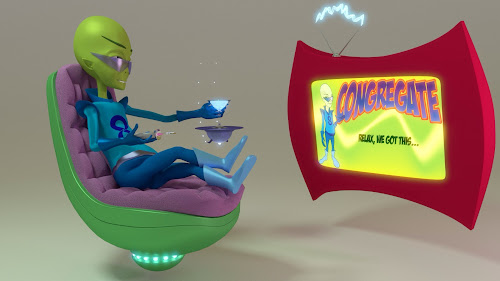

Naturally, all the 3D work was done in Blender. The 2D work was done on my iPad using Adobe Ideas, and that was before I had a pressure sensitive pen to work with!


 Posted with Blogsy
Thursday, August 29, 2013
New Whiteboard Video
I recently finished a Whiteboard Video for the Greensboro Partnership, for their State of the Community luncheon. It explains their efforts to transform the local economy through promoting entrepreneurship with various programs. This also marks the first big collaboration between Joel Bennett and myself since I bought Argos.
I'll let the video speak for itself:
That really is my big hairy mitt doing the drawing. I used Blender to do all the video editing and special effects. Sort of overkill, but it does speak to the versatility of the program.
I took HD (1080) video of myself drawing, with a bizarre contraption made out of leftover Octanorm in an office at the Nussbaum center, then sped it up. I have over 50GB of real-time video, which I will most likely be deleting. Sort of a shame, since that means the .blend file will be largely useless without them.
I'll let the video speak for itself:
That really is my big hairy mitt doing the drawing. I used Blender to do all the video editing and special effects. Sort of overkill, but it does speak to the versatility of the program.
I took HD (1080) video of myself drawing, with a bizarre contraption made out of leftover Octanorm in an office at the Nussbaum center, then sped it up. I have over 50GB of real-time video, which I will most likely be deleting. Sort of a shame, since that means the .blend file will be largely useless without them.
Friday, May 3, 2013
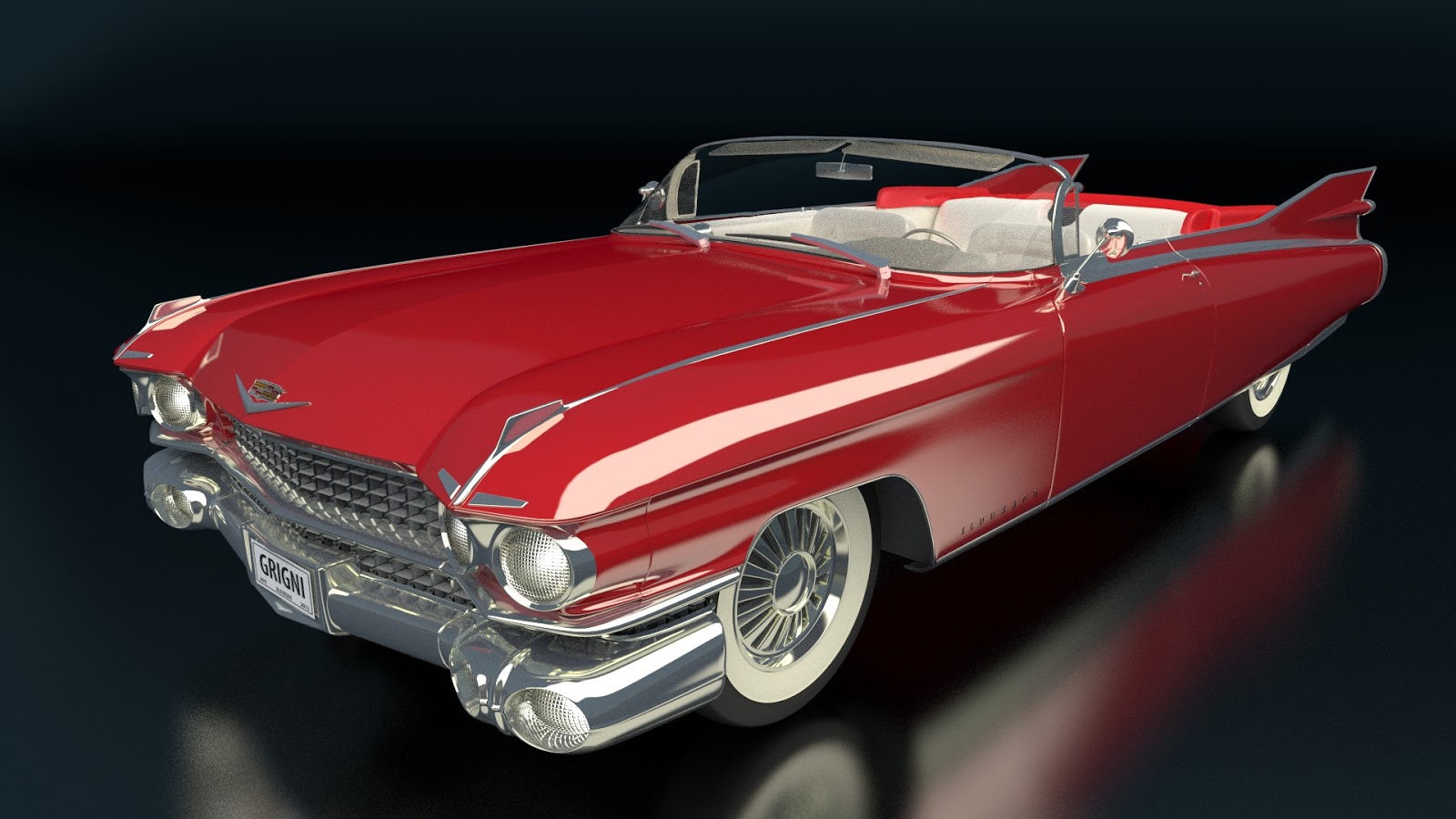
Cadillac renderings
Here is a recent 3D model. They will eventually be greatly transformed to use in a story that I want to make about post-apolcalyptic rodents, but that's for another post.
These were made entirely in Blender, and the model was done entirely by me. The outdoor shot is from the warehouse parking lot where I store exhibit materials for clients. I modeled it in 3D and 'projected' the photo onto it to create the textures.


These were made entirely in Blender, and the model was done entirely by me. The outdoor shot is from the warehouse parking lot where I store exhibit materials for clients. I modeled it in 3D and 'projected' the photo onto it to create the textures.


Sunday, January 8, 2012
Happy New Year
 |
| Walking in a Winter Wonderland |
There are a few things I would want to change - this is the first time I've used subsurface scattering to any extent, or the tree generating script - but it looks pretty good, and it's already two weeks late. Maybe I'll use it in a card next year.
Saturday, October 29, 2011
City Street

I've put far more detail into some of the objects in the scene than I'll ever need, especially the textures for things like the fire hydrant and mailbox. And far more actual modeling in the street lamp. And some of the object scales are off. And of course it needs more light, badly. It looks like twilight at the moment. I'll probably fix that using the compositor nodes when it's all said and done.
Still, it's been fun. Next step is to link this whole scene into the trike file to and add the motion and then render. And hopefully I'll find ways to re-use the elements so it won't feel like they were wasted effort.
Friday, September 30, 2011
Refinements

The nice thing about Blender is it makes certain things very easy. Using the Solidify modifier to add thickness makes the entire process very simple.
Now if I can just figure out the Constraints for animation, I might just get somewhere.
Monday, August 22, 2011
Further with Blender

As with a number of things in Blender, it seems simple in retrospect, but there are so many features in the program that it's easy to get lost.
If it weren't for the freely available tutorials online, I would have given up on the program long ago. Now my familiarity with it is starting to get to a usable level. I'm wondering if I should make a tutorial on the model, give back to the community. Well, let me finish the animation I'm working on first.
Monday, August 8, 2011
Test animation
This is actually a little old at this point, but I thought I'd throw this up there. I've mentioned before about playing around with Blender 3D, and this is a test animation I did to see if I could get a client interested. I had redrawn the logo that you can see on the spray can, and thought they might want to see it actually 'come to life'. So far no nibbles. You can see it a little larger by looking at it on YouTube.
Sunday, July 3, 2011
Recent work
 I've been trying my hand at Blender and this is a test render. It's a little dark and the model is far from finished. I'm trying also to figure out some rigging to make it an animatable model, to show the vehicle moving and banking in turns, doors opening, that sort of thing.
Texture wise there are a lot of missing details, obviously, so I need to decide when it's actually finished.
I've also uploaded an animation to YouTube, but I'm not sure why the colors look so weird.
(Edit 8-9-11) I've re-uploaded that animation, now the colors work.
I've also uploaded an animation to YouTube, but I'm not sure why the colors look so weird.
(Edit 8-9-11) I've re-uploaded that animation, now the colors work.
Subscribe to:
Posts (Atom)